Showing posts with label Secure Store Service. Show all posts

Thursday, May 6, 2010

Secure Store Application ID in SharePoint 2010

Secure Store Application ID

Each Secure Store Service entry contains an application ID that is used to retrieve a set of credentials from the secure store database. Each application ID can have permissions applied so that only specific users or groups can access the credentials that are stored for the application ID. Applications use application IDs to retrieve credentials from the secure store database on behalf of a user. The application can then use the retrieved credentials to access a data source.


I will walk you through - how to create Secure Store Application ID that you can use in External Content Type.

a) Go to SharePoint Central Admin then Manage Service Applications.
b) Click on Secure Store Service Application. If Secure Store Service is not setup, then you have to create one. Look at my article How to Create Secure Store Service.


c) Click on 'Generate New Key' on the ribbon.
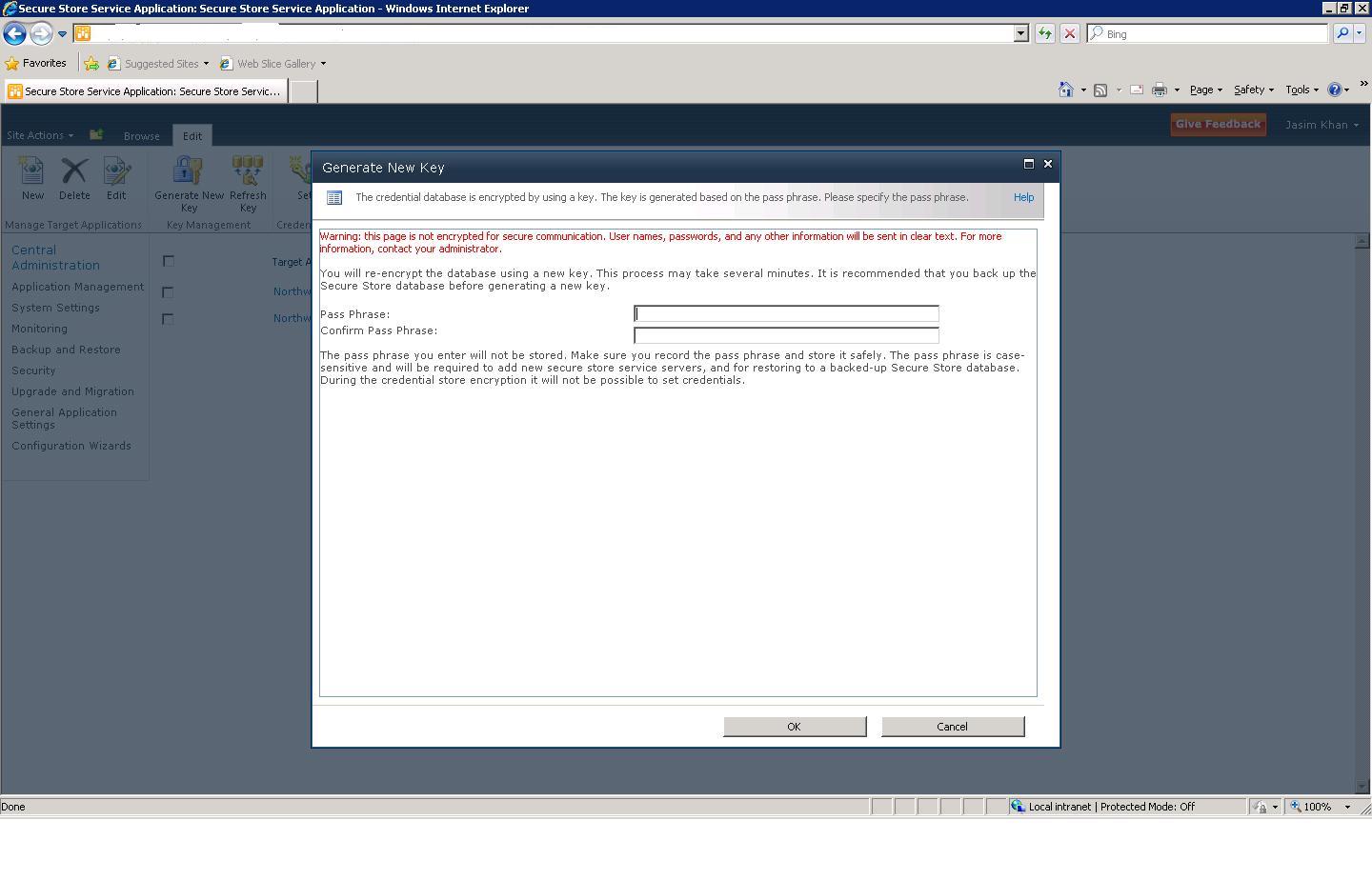

d) Enter pass phrase as you like.

e) Now we will have to create Secure Store Application that would help in impersonation. Click New on the ribbon.

f) Enter the required values for the target application settings. Click Next.


f) You can add more fields if you like, for now use the default Windows Username and Windows Password. Click Next.


g) Specify Administrator for the target application. You can specify Members for the target application as well if you like to. Click Ok.


h) Now your Target Application has been created successfully.

i) Now tick the check box beside the Target Application then click on Set Credentials on the ribbon to set the credentials for impersonation.

j) Enter a credential owner, the windows username and windows password that will be used for impersonation by this target application then click Ok.


Now Application ID has been created we can use this target application for impersonation to access BCS External list.

Thanks,
JK

Sunday, April 11, 2010

Secure Store Service - SharePoint 2010


Secure Store Service in SharePoint 2010

The Secure Store Service stores credentials in database(user identity and password) for application IDs that can be used by applications to authorize access to shared resources. SharePoint 2010 can use the secure store database to store and retrieve credentials to access external data sources.
The support for storing the credentials of multiple back-end systems using multiple application IDs is provided in the Secure Store Service.

Before using the Secure Store Service to create target applications, you must provide it with a pass phrase. The pass phrase is used to generate a key that is used to encrypt and decrypt the credentials that are stored in the Secure Store Service database. If you have to supply the initial pass phrase, you will see the following message when you open a Secure Store Service application instance: Please generate a new key for this Secure Store Service application.

How to create Secure Store Service in SharePoint 2010?


* Go to SharePoint Central Admin


* Click on Manage Service Applications under Application Management heading.


* On the ribbon, click on New button that will show the list of the services you can create. Click on Secure Store Service.


* Enter necessary details as Name, Database server, Database, Credentials etc.


* Click Ok to create service. If there is no problem with DB or service account, Secure Store Service will be created successfully. :-)


* You need to start the Secure Store Service after it has been created.

* Go to Central Admin

* Click on Manage Services on Server under System Settings heading.

* Locate the Secure Store Service then click start.


That's it!!!

So this is the creation of Secure Store Service. I am gonna discuss about the BDC - How to create external content type to access external data in SharePoint 2010 in my next post. And what additional steps need to be done in Secure Store Service and in BDC Service to make BDC work in SharePoint 2010.